
In a small service desk, most ticket changes are quick ones. Bump the priority, set the ticket to pending, hand it to the colleague who knows the system. In standard Znuny, each of those means opening a separate screen: Priority, Pending, Owner. When agile teams work, that is a lot of clicking.
Znuny-FlexEdit for Znuny LTS 7.5 removes the pop-ups. Agents change ticket attributes right where they read them: in the Ticket Information widget of the ticket zoom screen.
Start editing
With the package installed, editable values in the Ticket Information widget get a faint dotted underline:
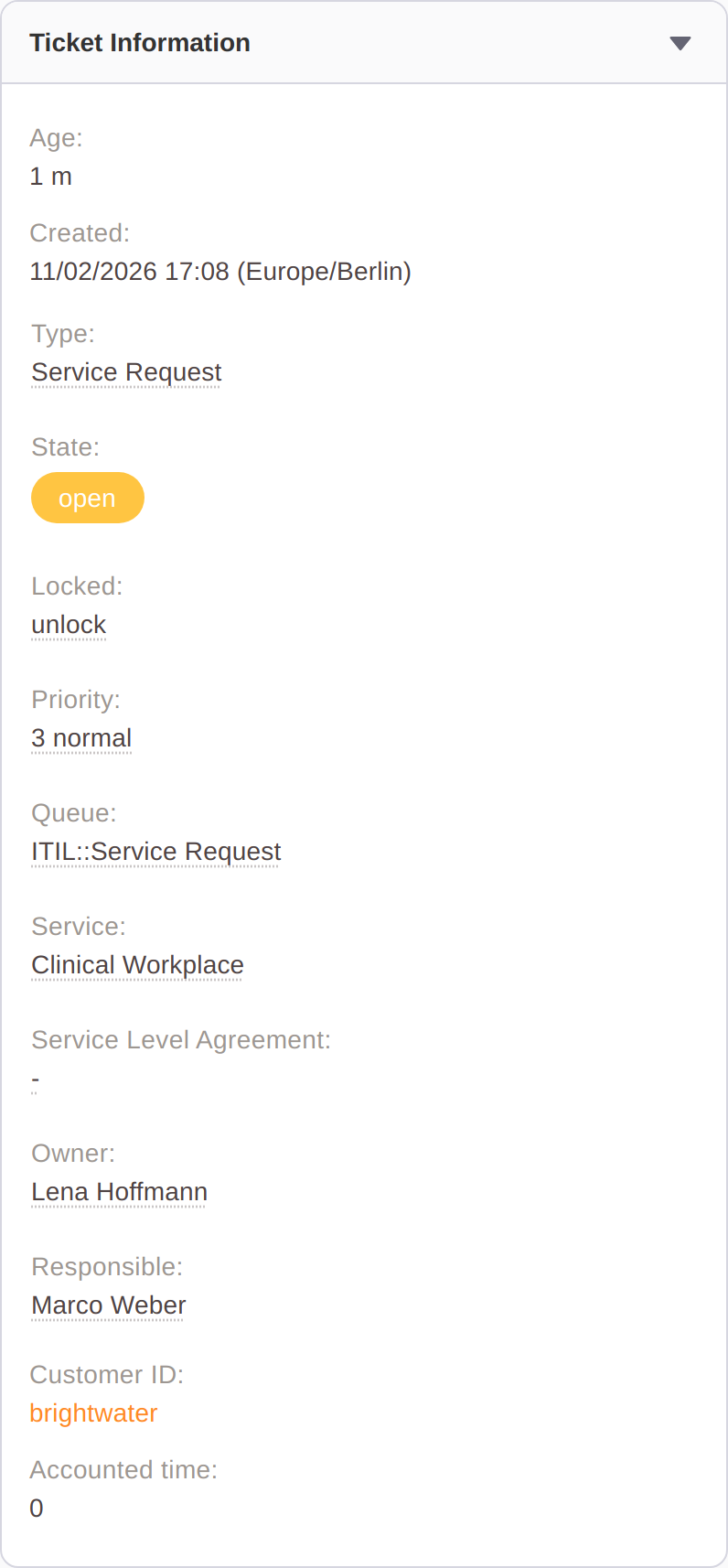
Click a value (or tab to it and press Enter) and it turns into a selection right there in the widget. The attributes that can be edited are Type, State (including the pending date), Lock, Priority, Queue, Service, Service Level Agreement, Owner and Responsible.
...more to change?
Nothing is saved yet. Change as many attributes as you need, then click save. Each changed field gets a dot next to its label and a reset icon to undo just that one, and two buttons appear in the widget header: discard and save.
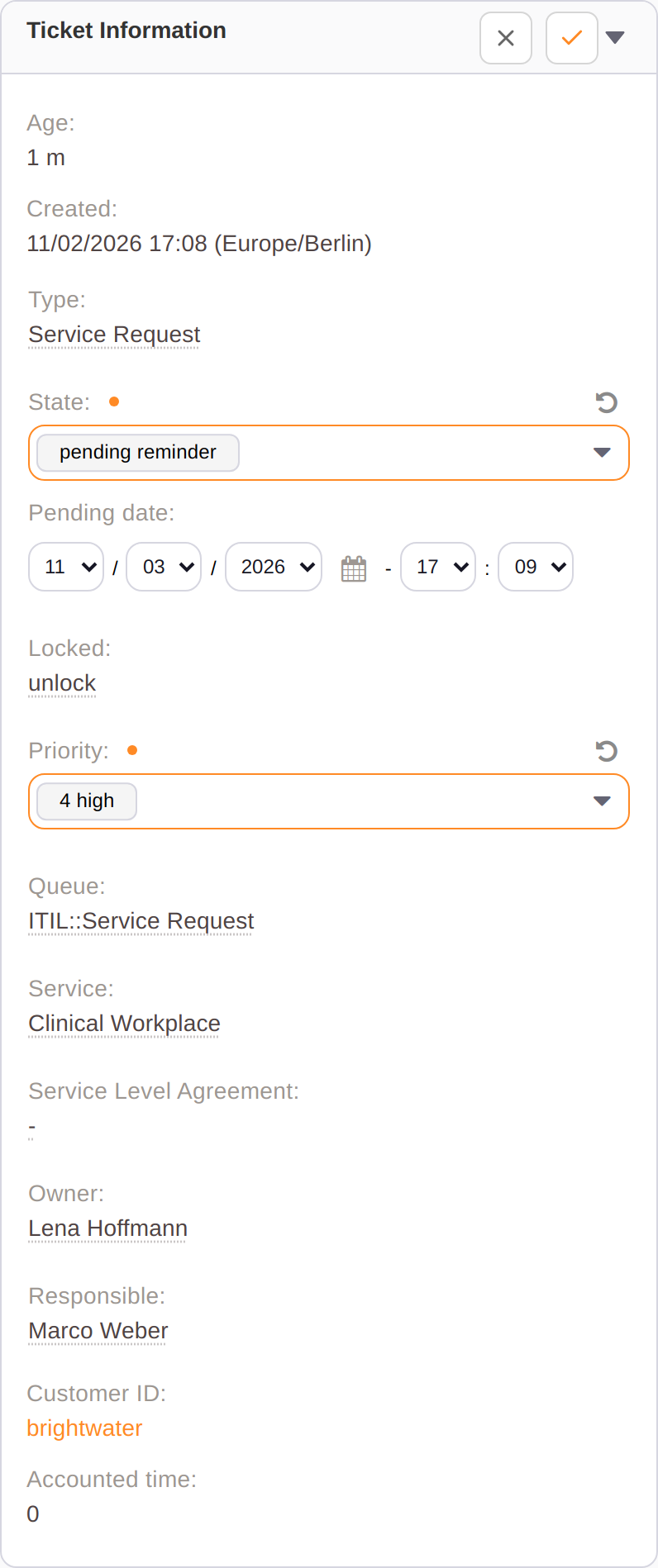
Here the agent has set the ticket to pending reminder, which shows the pending date fields straight away, and raised the priority to 4 high. One click on save stores both. ACLs are fully covered, so that you can’t save invalid combinations.
Admins decide how much flexibility the team gets
FlexEdit is not all or nothing. Under Admin → System Configuration, search for “AgentTicketFlexEdit”:
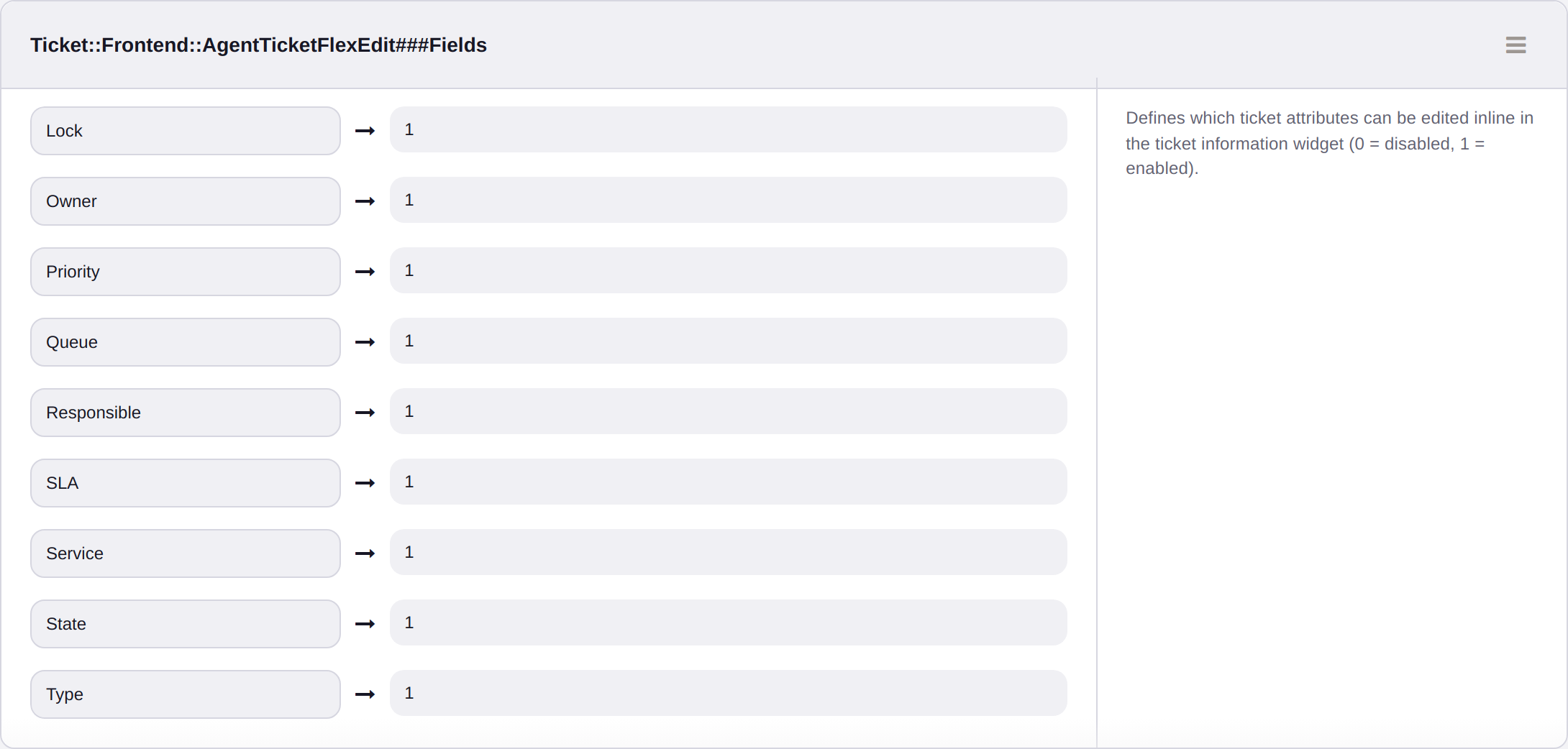
Choice and speed, or high accountability
FlexEdit is a deliberate trade-off, and it is worth being clear about it.
The classic action screens are built for accountability. FlexEdit trades that for speed.
For a small team that shares the work and talks about it anyway, that is usually the right call. The history answers "who set this to pending?", and the colleague is one desk away for the rest.
For teams with stricter requirements (regulated environments, larger shifts, audits that require a reason for every change), keep the classic screens as the main path. Enable FlexEdit only for low-risk fields such as Priority or Type, use ACLs to exclude sensitive queues, or leave it off. Because the setting is per field, the choice does not have to be the same for every attribute.
- Blogpost